
Freight forwarding software isn’t a nice-to-have anymore. It’s the operational backbone of your business, the system your team lives in every day to quote, book, track, document, invoice, and communicate. Choosing the wrong one costs you time, money, and clients. Choosing the right one is a competitive advantage.
But with dozens of platforms on the market, each claiming to “streamline operations” and “automate workflows,” it’s hard to know what actually matters.
This checklist covers the core features freight forwarding software must have in 2026, and what separates a platform that works from one that just looks good in a demo.
1. Multi-Modal Shipment Management
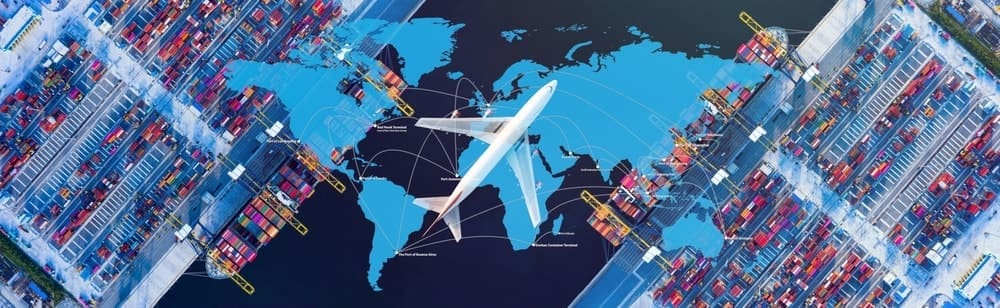
Your software needs to handle air, ocean, land, and multimodal shipments in a single workflow, not different modules that don’t talk to each other. If you’re managing an FCL ocean shipment and an air express in the same week, both should live in the same system with the same visibility.
Look for support across: air freight (HAWB/MAWB), sea freight (HBL/MBL, FCL/LCL), land and trucking, cross-trade and transshipment, and consolidated shipments.
If the platform requires workarounds for any of these, it’s not purpose-built for forwarding.
2. Document Generation and Management

Manual document creation is one of the biggest time sinks in freight forwarding. Your software should generate, and send, all standard freight documents automatically from shipment data already in the system.
That includes bills of lading, air waybills, arrival notices, packing lists, certificates of origin, and customs declarations. Bonus: look for eAWB capability and integration with customs authorities directly from the platform.
3. Carrier Connectivity
Good freight forwarding software connects you to your carrier network without leaving the system. That means direct integrations with shipping lines, airlines, and carrier platforms, not manual email back-and-forth.
Logistaas, for example, connects to 50+ container carriers via INTTRA, 100+ airlines via integrations with Traxon CargoHub and Descartes, and gives access to live spot rates and instant booking through WebCargo. That’s the level of connectivity to look for.
4. Sales and Pricing Management (Built for Forwarding, Not Generic CRM)
A generic CRM won’t cut it. Freight forwarding has a specific commercial workflow: rate inquiries, tariff management, quotation generation, margin calculation, and follow-up. Your software needs to handle all of it natively.
Look for: customer database management, rate and tariff management, quote generation and tracking, and the ability to convert a quote directly into a shipment without re-entering data.
5. Finance and Accounting Integration

This is where a lot of platforms fall short. Many systems handle operations well but require a separate accounting tool, which means double entry, reconciliation headaches, and delayed invoicing.
The best freight forwarding software includes a built-in finance module that handles invoicing, accounts payable and receivable, profit and loss per shipment, e-invoicing (especially important for global compliance across markets), and multi-currency support.
6. Customer Portal

Shippers today expect the same digital experience they get from every other service provider. A branded customer portal, connected directly to your TMS, lets clients track shipments, request quotes, access documents, and communicate with your team without calling or emailing.
This isn’t just a convenience feature. Forwarders with a customer portal win more RFPs, retain clients longer, and reduce the volume of “where is my shipment?” inquiries hitting their operations team.
7. Workflow Automation
The goal is to reduce the number of manual steps between a shipment being booked and it being closed. Look for software that can automatically create tasks based on shipment type, trigger document generation at key milestones, send status updates to clients, and alert your team to exceptions before they become problems.
The more of this that happens automatically, the more shipments your team can handle without adding headcount.
8. Real-Time Tracking and Visibility
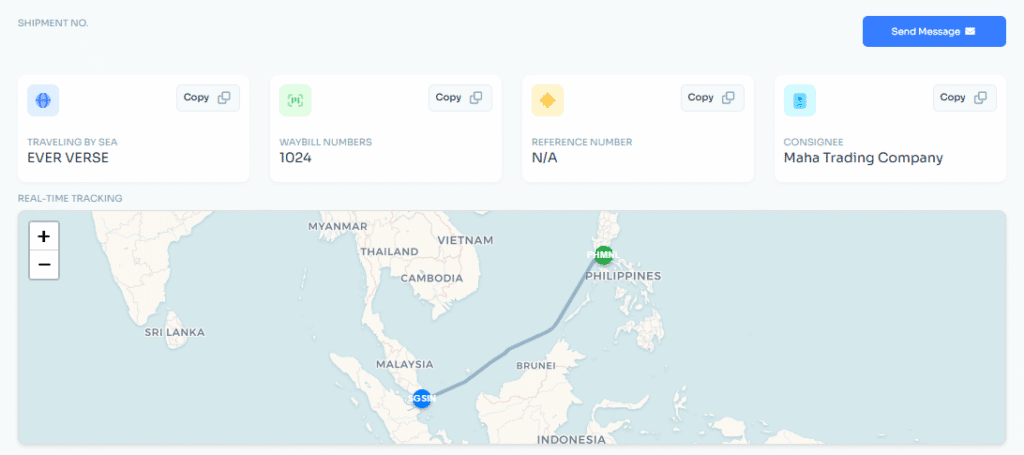
You need to know where every shipment is at every stage, and so does your client. Look for milestone-based tracking that updates automatically, integration with real-time tracking providers (like Wakeo for predictive ETA), and a visibility layer that covers all modes, not just ocean.
9. AI Capabilities (That Actually Do Something)

AI in freight forwarding software has moved past the marketing phase. In 2026, the platforms worth evaluating have AI tools that actively reduce manual work, not just dashboards with the word “intelligent” attached.
Specifically, look for: AI document reading (extracting data from air waybills, invoices, and shipping documents automatically), risk assessment (flagging shipments likely to encounter issues before they do), and automated data entry from inbound emails or documents.
Logistaas’s Averroes AI suite covers all three, document reading, risk assessment, and AI-assisted customer support, built directly into the TMS rather than bolted on.
10. Integrations

No TMS operates in isolation. Your freight forwarding software needs to connect cleanly with customs authorities, rate platforms, carriers, financial tools, and compliance providers.
Key integrations to look for: customs filing (Descartes, Trade Tech), ocean rate management (CargoFive), air rate management (WebCargo), real-time tracking (Wakeo), and e-invoicing compliance across your operating markets.
11. Security and Compliance

Your TMS holds your entire business: client data, financial records, shipment history, contracts. Security isn’t optional. Look for SOC 2 certification (Logistaas is SOC 2 certified), data encryption, role-based access control, and audit trails.
If a vendor can’t point you to a current security certification, that’s a red flag.
12. Cloud-Based Architecture

In 2026, on-premise TMS is the exception, not the rule. Cloud-based freight forwarding software means your team can work from any office, in any country, without IT overhead. It also means updates happen automatically, you’re always on the latest version without a migration project.
The Short Version: What to Ask in Any Demo
Does this cover all my shipment modes in one workflow?
Can I generate and send freight documents directly from the system?
Is accounting built in, or do I need a separate tool?
Does it include a customer portal?
What AI features are live today, not on the roadmap?
What integrations are native versus requiring custom setup?
What security certification does the platform hold?
If a vendor stumbles on any of these, keep looking.
How Logistaas Measures Up
Logistaas is a cloud-based TMS built specifically for freight forwarders, covering operations, sales, finance, customer portal, and AI tools in a single platform. Used by freight companies in over 80 countries, it’s built around the actual forwarding workflow.
If you want to see how it handles your specific operation, schedule a free demo.